

AIWallRun Team · Published 2026-11-01
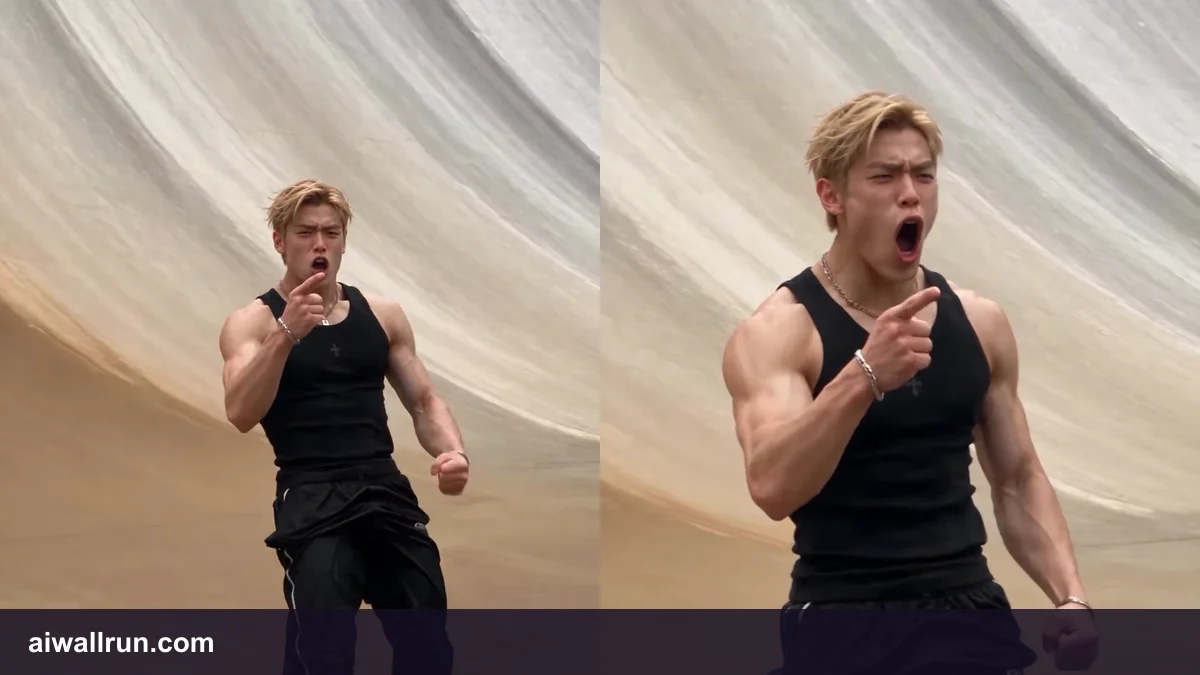
AI Wall Run Photo and Prompt Tips for Better Results
An AI wall run video asks a lot of one photo. In the wide shots your face is a few pixels on a huge dam wall; in the flip your head rotates against the sky; at the end your face fills the vertical frame. A photo that looks fine on Instagram can fall apart in one of those moments. This guide covers which photos work, which fail, why there is no prompt to write, and how to fix the problems people hit most often.
Why the Photo Matters More Than Anything Else
The AI Wall Run template fixes everything except the runner: the dam, the crowd, the guards, the camera path and the stunt. That is what makes the result look like the trend. It also means the photo is your only lever. Every improvement you can make comes from choosing a better photo, picking the right quality setting, or generating again.
The Ideal AI Wall Run Photo
| Factor | Works well | Causes problems |
|---|---|---|
| People in frame | One person | Group shots, a second face in the background |
| Angle | Facing the camera, head straight | Profile, looking down, extreme tilt |
| Face size | Head and shoulders, face fills a good part of the photo | Full-body shot taken from far away |
| Light | Soft daylight, even indoor light | Harsh sun, strong shadows, backlight, coloured club lights |
| Coverings | Clear eyes and forehead | Sunglasses, masks, caps pulled low, hair over the eyes |
| Quality | Sharp, original phone photo | Screenshots, heavy beauty filters, blurred or compressed images |
| Expression | Neutral or a light smile | Wide-open mouth, extreme faces |
One person, front-facing
The face swap needs to know exactly which face to use and what it looks like from the front, because the close-up at the end is close to frontal. A straight-on photo gives the model the most information.
Fill the frame with the face
A head-and-shoulders photo works better than a full-body one. Your body build is taken into account, but the face is what people recognise, and it needs enough pixels.
Even light, no heavy filters
Strong shadows can be read as part of your face. Beauty filters smooth away the details that make you look like you. Use an unfiltered photo when you can.
Do I Need a Prompt?
No. Many AI video tools ask you to describe the scene in a text prompt. The AI Wall Run template already contains the scene, the stunt, the camera move and the sound, so there is nothing to write. This is deliberate: a prompt would let the dam, the flip or the camera drift away from the version people recognise.
What you can control:
- The photo, as described above.
- The length: 15 seconds. A longer clip gives the landing and close-up more time.
- The quality: 480p or 720p. Higher quality helps most in the final close-up.
Fixing Common Problems
The face does not look like me
Most often the photo is too far away, angled or filtered. Switch to a closer, frontal, unfiltered photo. If it looks like you in the close-up but not in the wide shots, that is normal: in the wide shots you are tiny on a huge wall.
The flip looks broken or smeared
Fast rotation is the hardest motion for AI video, and results vary between runs. Generate again before changing anything. If the flip breaks in every try, a blurry photo is the most likely cause.
The close-up is soft
Use a higher-resolution photo and a higher quality setting. Avoid screenshots of photos, which lose detail.
Hair or skin tone looks off
Coloured lights and strong white balance shifts in the photo carry into the video. Choose a photo taken in neutral light.
The background changes
In a big crowd, small changes are normal. If the guards swap places, the number of people at the railing changes or someone in the crowd copies the flip, generate again. This is not caused by your photo.
A Quick Pre-Upload Checklist
- ✓ Only one person in the photo
- ✓ Face looking at the camera
- ✓ Eyes and forehead visible
- ✓ Soft, even light
- ✓ No beauty filter, not a screenshot
- ✓ I own the photo or have the person's permission
Photos You Should Not Upload
Only upload photos of yourself or of people who agreed. Do not upload photos of children, public figures or anyone who has not given consent, and do not use the video to impersonate someone. Read our Acceptable Use Policy for the full rules. If you see a video that uses your likeness without permission, you can report it here without an account.
Next Steps
Ready to try? Follow the step-by-step guide to making an AI wall run video, see the AI wall run video examples to know what to expect, or learn more about the wall run flip AI moment, which is where photo quality shows most.
FAQ
What is the best photo for an AI wall run video?
A sharp, unfiltered, head-and-shoulders photo of one person facing the camera in soft, even light.
Can I use a selfie?
Yes, if it is sharp, taken at arm's length or further, and not distorted by a very wide lens close to the face.
Do I need to write a prompt for the AI wall run template?
No. The scene, stunt, camera and sound are built in. You only choose the photo, length and quality.
Why does my AI wall run video look different each time?
Each generation varies a little, especially in fast motion like the flip. Generating again is the quickest fix.